
Great music ideas rarely wait until you’re back at your laptop. That’s why we’re excited to share that
Violin2Notes by Klangio, our AI app for string instruments, is now available as a native app on the App
Store and Google Play. A few weeks after launch, musicians are already transcribing on the go, no desk
required.
Violin2Notes Just Went Mobile
When we first launched Violin2Notes as a web app, one piece of feedback came up again and again: “Can
I use this on my phone?” Now you can. The Violin2Notes app is live on iOS and Android, so you can record
a phrase right after rehearsal or capture an idea backstage, then let Violin2Notes AI turn it into sheet music
before you even get home.
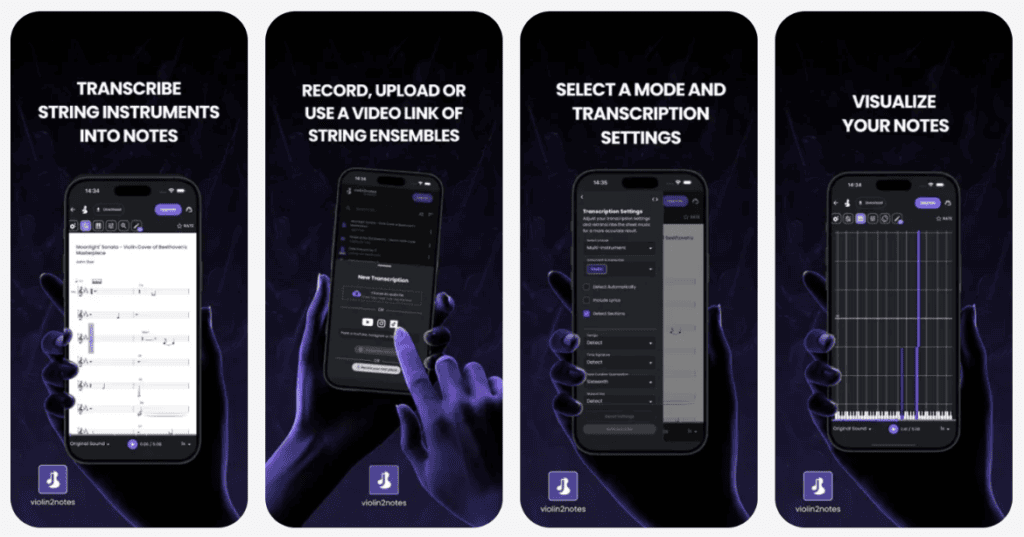
Record directly with your phone’s microphone, or paste in a YouTube link, and let Klangio’s AI do the rest — recognizing violin, viola, cello and double bass parts, even when they’re playing together or alongside other instruments.
Why Take Your String Transcriptions Mobile?
String players rarely practice or perform next to a laptop. Rehearsal rooms, orchestra pits, quartet sessions
and teaching studios are mobile by nature, and the moment you play something worth keeping is usually
the moment your computer is nowhere nearby. With Violin2Notes app now on your phone, you can capture
a passage the second you play it: after a lesson, between takes in a recording session, or right when a new
idea for a composition comes to you.
It also means less friction getting from “I just played that” to “I have the sheet music.” No transferring
recordings from your phone to a laptop first, no opening a browser later when you’ve already forgotten the
details. Just open the Violin2Notes app by Klangio, record, and let the AI do the transcribing on the spot.
What Violin2Notes AI Can Do For You
Violin2Notes turns violin, viola, cello and double bass recordings into clean, readable sheet music in
seconds. Whether people call it Violin2Notes, klangio Violin2Notes, or simply Violin2Notes by Klangio, the
idea stays the same: the Violin2Notes AI isolates and transcribes each string instrument individually, even
in a full ensemble recording.
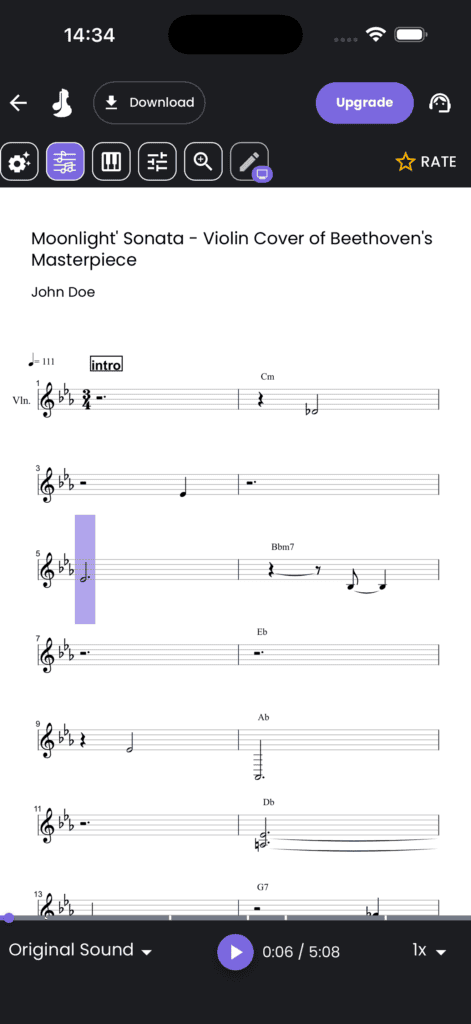
Once your transcription is ready, fine-tune it in Edit Mode and export it as PDF sheet music, MIDI, or
MusicXML, ready for MuseScore, Sibelius, or your favorite DAW.
What You Can Do With the Violin2Notes App
- Record directly with your phone’s microphone – no external equipment needed.
- Upload audio files or paste a YouTube link – transcribe recordings you already have, or turn a song you love into sheet music.
- Get instant sheet music, MIDI and MusicXML – exportable in formats that work with your notation software or DAW.
- Edit and fine-tune transcriptions – clean up notes before sharing or printing.
- Access your songbook across web and mobile – your transcriptions sync automatically, wherever you start them.
How to Get Started: Download & First Transcription
Getting your first mobile transcription only takes a few minutes.
- Download the App
Search for “Violin2Notes” in the App Store or Google Play, or use the download badges above.
Once installed, log into your existing Klangio account or sign up for free. - Record or Upload Your String Recording
Tap “Record” to capture audio directly through your phone’s microphone, or choose a file from your library. You can also paste in a YouTube link if you’d rather transcribe a video. - Add Metadata for Better Accuracy
Before transcribing, add a few helpful details: instrument (violin, viola, cello or double bass), key, and tempo. This context helps the AI transcribe more precisely. - Get Your Instant Transcription
Tap to start, and within seconds you’ll receive a free demo transcription. Play it back to check the quality before deciding whether to upgrade to a full transcription.
FAQ
Violin2Notes specializes in violin, viola, cello and double bass, even when other instruments are playing at the same time, whether it’s a solo or a full string ensemble.
Yes. The Violin2Notes app lets you try unlimited free demo transcriptions, converting the first 30 seconds of
your audio, YouTube video, or recording into editable sheet music, MIDI, and MusicXML. Upgrade anytime for full-length transcriptions.
No, but you can if you want to. The Violin2Notes app and the browser version at klang.io/violin2notes share the same account and songbook, so your transcriptions stay in sync no matter which one you use.
You can download your transcription as PDF sheet music, quantized or unquantized MIDI, and MusicXML,
compatible with MuseScore, Sibelius, Logic Pro, Cubase, GarageBand and more.
Violin2Notes delivers highly accurate results, especially with clear audio. Like a human transcriber, it performs best with well-recorded, strings-focused music, and any small errors can be fixed instantly in the built-in Edit Mode.
Ready to Transcribe On the Go?
Grab your instrument, open the Violin2Notes app, and turn your next practice session
into sheet music before you’ve even put your instrument away.
→ Download now: App Store · Google Play
Prefer your browser?
Violin2Notes is also available here!
