

Table of contents
- Why Convert YouTube Videos to MIDI?
- Why Klangio Is the Best YouTube to MIDI Converter
- How to Convert a YouTube Video to MIDI: Step by Step
- Take It Further: The Klangio Transcription Plugin for Your DAW
- FAQ: Everything About YouTube to MIDI Conversion
Turning a YouTube video into a playable MIDI file used to mean hours of transcribing by ear. Today, a good YouTube to MIDI converter can do it in seconds. Whether you want to remix a track, learn a solo note-for-note, or arrange a full band recording for your DAW, Klangio Transcription Studio is built to handle it, including songs where multiple instruments play at the same time.
In this guide, we'll show you exactly how to convert any YouTube video to MIDI, why Klangio Transcription Studio is different from single-instrument tools, and answer the questions musicians ask most often about YouTube to MIDI conversion.
Why Convert YouTube Videos to MIDI?
A YouTube video to MIDI converter turns any song into an editable, playable file. No ear training required. Musicians typically use it to:
- Learn a song or solo note-for-note when no sheet music or tabs are available
- Remix or sample a track inside a DAW
- Arrange a full band or orchestral recording for a different instrumentation
- Quickly check the chords, melody or rhythm of a song they're studying
Whatever the reason, the process should be fast, accurate, and work for more than just piano.
Why Klangio Is the Best YouTube to MIDI Converter
Klangio Transcription Studio stands out as a YouTube to MIDI converter thanks to its AI-powered, multi-instrument transcription technology developed in Germany. Here's what makes it stand out:
- Multi-instrument to MIDI conversion: Vocals, piano, drums, bass, guitar, strings, wind and synthesizer are detected and transcribed simultaneously, not just one instrument at a time.
- Three tailored modes: Classic Mode for orchestral and acoustic arrangements, Rock Mode for guitars, bass and drums (including distortion), and Universal Mode for virtually any genre.
- Quantized and unquantized MIDI export, plus sheet music PDFs, MusicXML, GuitarPro and LilyPond.
- Integrated Edit Mode to fine-tune notes, tempo, key or time signature directly in your browser.
- Free demo transcription of the first 30 seconds, as often as you like, before you upgrade.
- User-friendly interface: A simple process that lets you convert YouTube videos into MIDI within seconds.
- Available in your browser and as a plugin for your DAW.
How to Convert a YouTube Video to MIDI: Step by Step
Follow these steps to turn any YouTube link into MIDI with Klangio Transcription Studio:
1. Open Klangio Transcription Studio
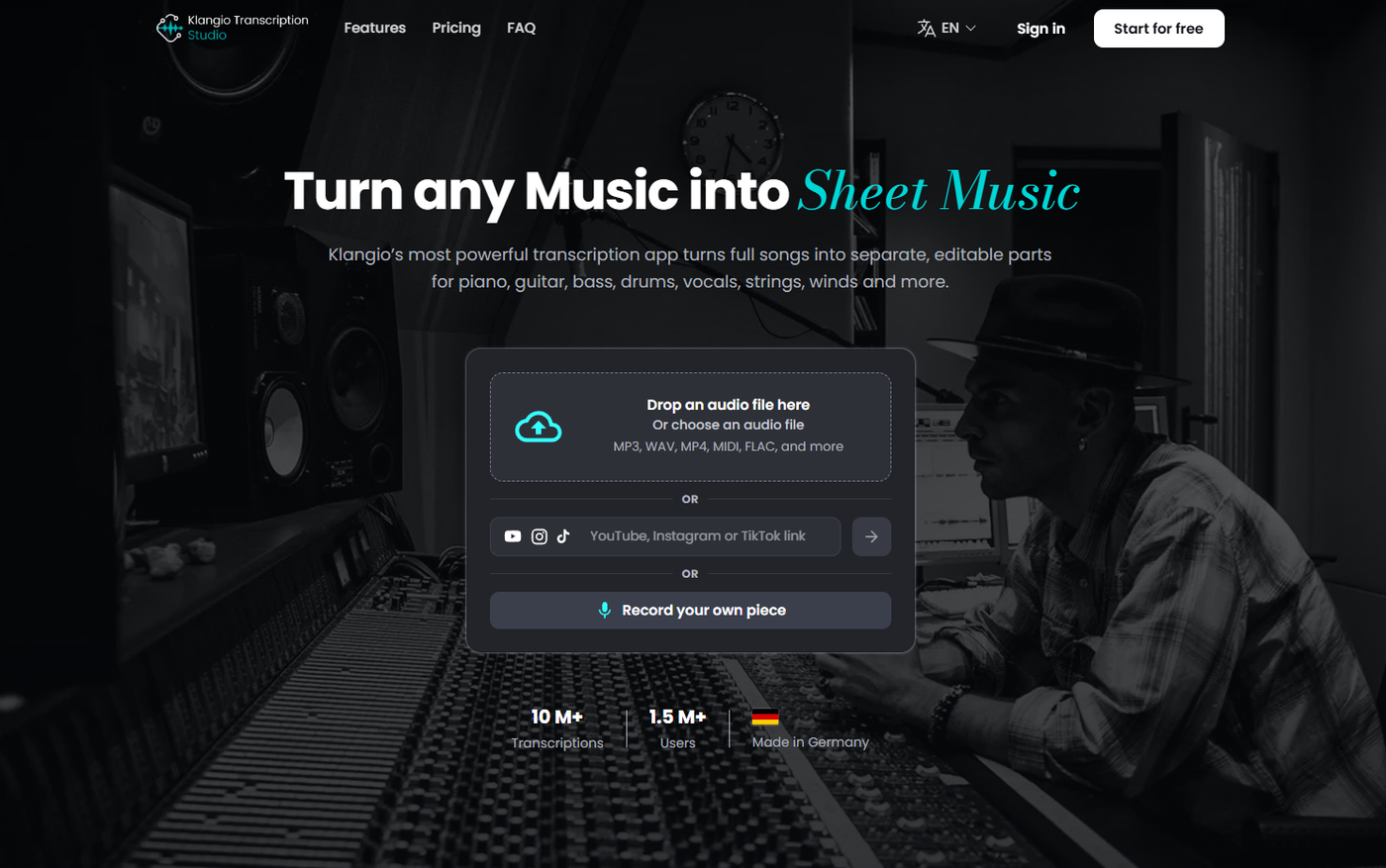
Head over to Klangio Transcription Studio in your browser. No login is required to start your first transcription.
2. Paste Your YouTube Link
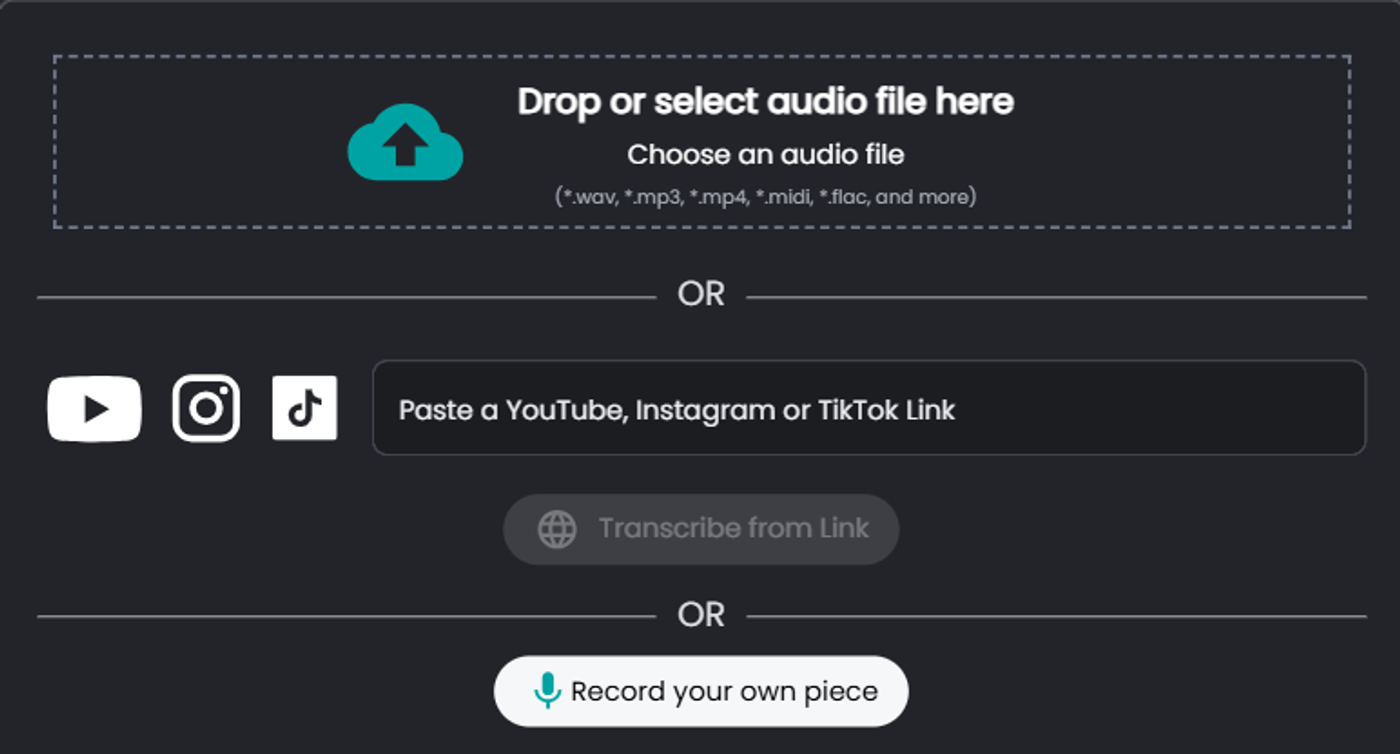
Copy the link of the video you want to convert and paste it into Transcription Studio. You can also upload an audio file or record directly, if you prefer.
3. Choose Your Mode and Instruments
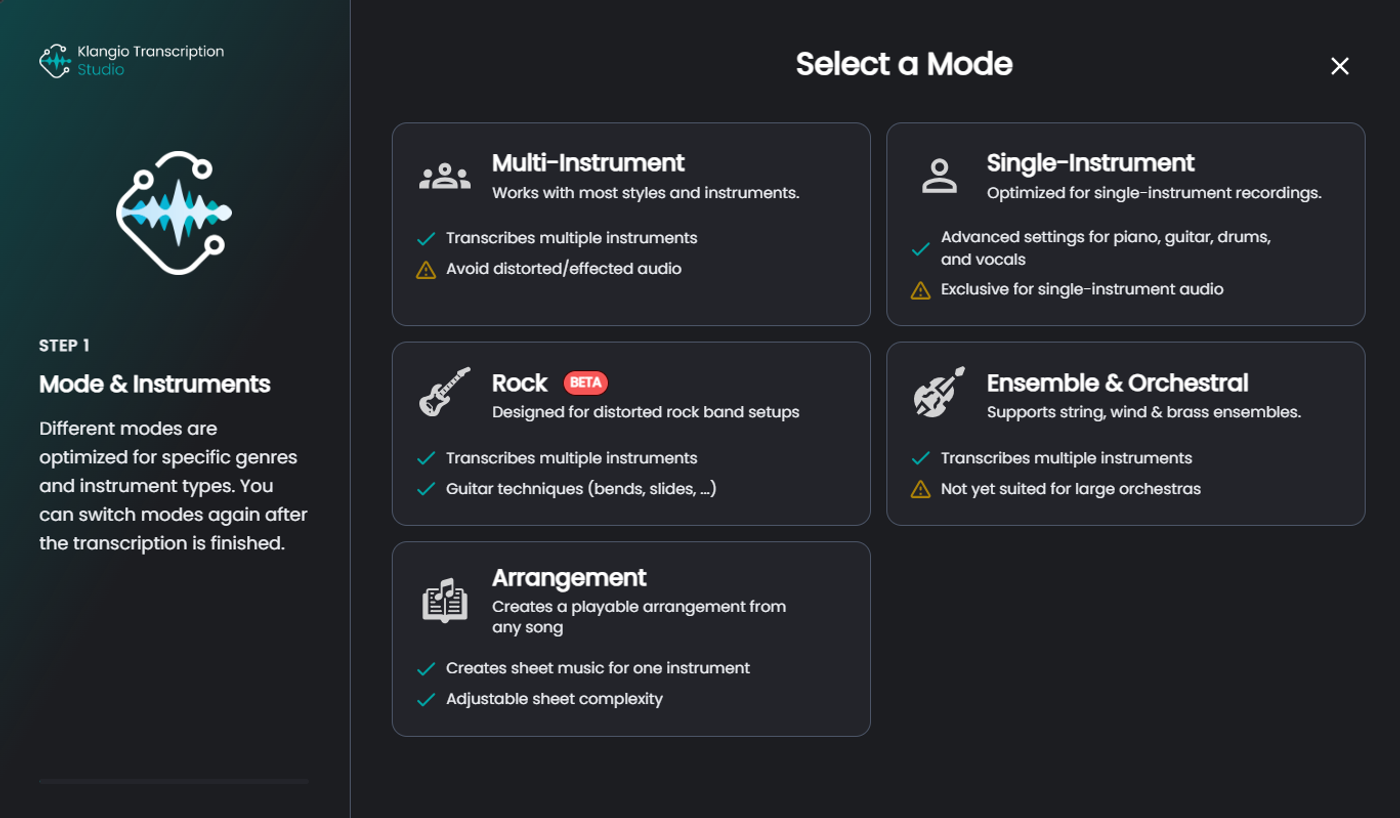
Pick the mode that fits your song, Classic, Rock or Universal, and choose which instruments to transcribe, or select all of them at once for a full multi-instrument result.
👉 Tip: Selecting “multi-instrumental” mode ensures all instruments are detected and transcribed properly.
4. Check Your Free Demo Transcription
Within seconds, you'll get a free demo transcription of the first 30 seconds. Play it back to check the quality for every instrument you selected.
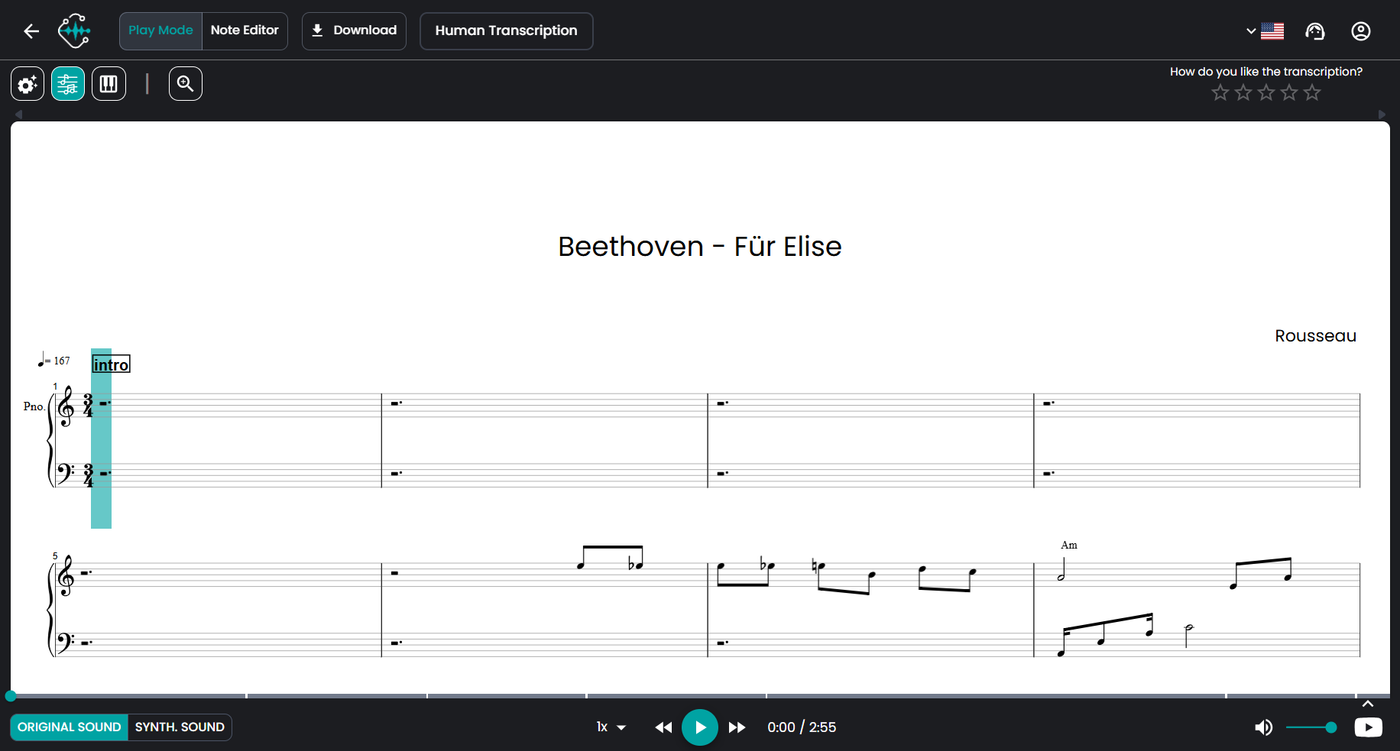
5. Download Quantized or Unquantized MIDI
Happy with the result? Click Download in the top left corner and choose your format.
- Quantized MIDI: notes aligned to a fixed grid, ideal for a clean, structured result.
- Unquantized MIDI: keeps the original timing for a more natural, human feel.
Not sure which one you need? Download both and compare them side by side in your DAW.
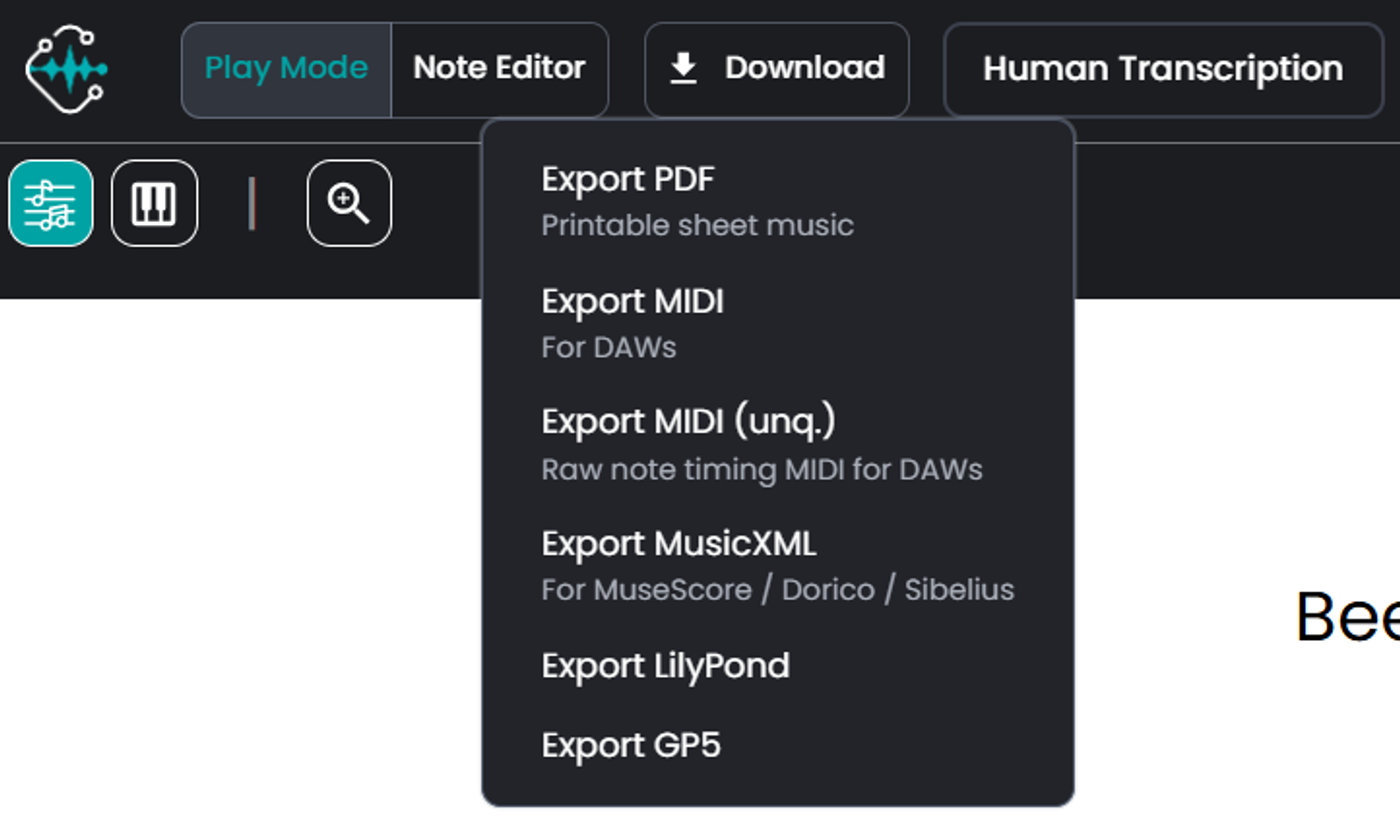
Download quantized or unquantized MIDI, sheet music PDF, MusicXML,
GuitarPro or LilyPond.
Take It Further: The Klangio Transcription Plugin for Your DAW
Producing music and want to skip the browser entirely? The Klangio Transcription Plugin brings the same multi-instrument transcription directly into your DAW. Drag audio straight into your session and drag out MIDI for every instrument. No exporting, uploading or switching tabs required.
Try it out for free or unlock unlimited transcriptions with Klangio Studio Pro Yearly or Monthly. Available as VST3, AU and Standalone for Windows and Mac.
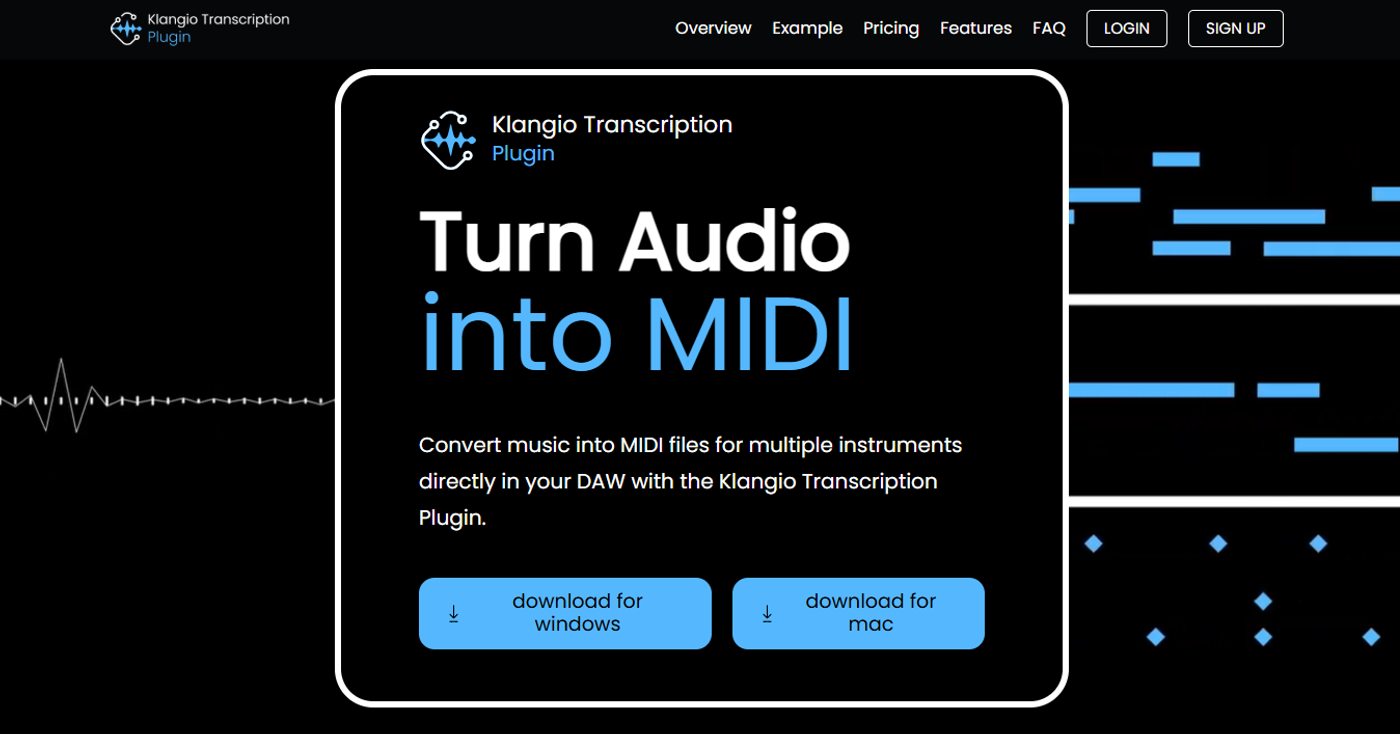
Drag in audio, drag out MIDI, directly in your DAW.
With Klangio's advanced AI technology, converting YouTube videos to MIDI has never been easier, whether it's one instrument or an entire band.
FAQ: Everything About YouTube to MIDI Conversion
➡️ How can I make a MIDI of a YouTube song?
Paste the YouTube link into Klangio Transcription Studio, choose your mode, and download the MIDI file once your transcription is ready. No audio editing skills required.
➡️ Can you turn a YouTube video into a MIDI file?
Yes. Klangio Transcription Studio extracts the audio from any YouTube link and transcribes it into MIDI, sheet music, MusicXML or GuitarPro, for one instrument or several at once.
➡️ What's the fastest way to convert YouTube to MIDI?
Klangio Transcription Studio: paste a link, get a free demo transcription within seconds, and download the full MIDI after upgrading.
➡️ Should I choose quantized or unquantized MIDI?
Quantized MIDI aligns notes to a fixed grid, ideal for a clean, structured result. Unquantized MIDI keeps the original timing for a more natural feel. If you're unsure, download both and compare them in your DAW.
➡️ Can I convert songs with multiple instruments, not just piano?
Yes, this is what sets Klangio Transcription Studio apart from single-instrument converters. It detects and transcribes vocals, piano, drums, bass, guitar, strings, wind and synth in the same track.
➡️ Is Klangio Transcription Studio different from Piano2Notes and Guitar2Tabs?
Yes. Klangio Transcription Studio is Klangio's complete multi-instrument transcription environment. It combines the capabilities of instrument-specific tools like Piano2Notes and Guitar2Tabs in one application, so you don't need to switch tools when a song uses more than one instrument.
➡️ Is converting a YouTube video to MIDI legal?
Klangio processes the audio you link to purely to generate a transcription for your own personal or educational use. As with any tool that interacts with YouTube content, make sure you have the right to use the resulting MIDI file the way you intend to, for example, respecting copyright for public distribution or commercial use of someone else's composition.
Ready to turn your favorite YouTube song into MIDI?
Try Klangio Transcription Studio for free!
Your first demo transcription takes just seconds, no signup required.
→ Start your Free Transcription
→ Try the Transcription Plugin for your DAW