
Search for “sheet music generator” and you’ll find a surprisingly mixed crowd behind that query. A pianist who can’t find sheet music for a song they love. A teacher who needs practice material ready by tomorrow morning. A composer who hummed an idea into their phone and now wants to see it written down. A student staring at a scanned PDF, wishing it would just play itself. They’re all after the same kind of tool, just pointed in different directions.
Why “Sheet Music Generator” Means Something Different for Everyone
For most people typing that phrase into Google, the goal is turning a recording into notation: audio to sheet music, in the most literal sense. But a fair share of that traffic is actually looking for the opposite, a way to bring existing sheet music to life, or to check that a printed score is even worth practicing before committing an afternoon to it. Klangio covers both, and which one you need decides where you should start.
From Recording to Readable Score: How It Works
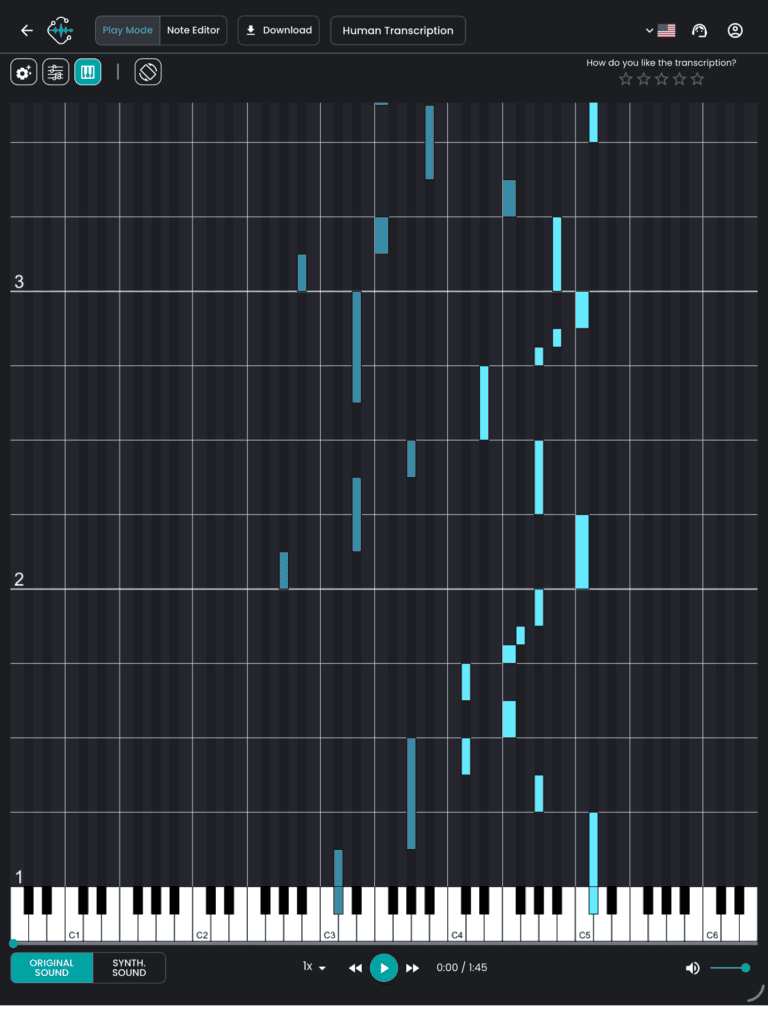
Feed an AI transcription model a recording, and it does roughly what a trained musician does when
transcribing by ear: it listens for pitch, rhythm, and phrasing, and writes down what it hears onto a staff.
Klangio’s models handle this across eight instrument categories, including chords and several instruments
playing at once, and hand you back an editable score in seconds instead of hours.
In practice, that means:
- Upload, record, or paste a link. Drop in an audio or video file, paste a YouTube link, or record straight into your browser.
- Tell it what to listen for. Pick the instrument, or instruments, in the recording so the AI knows what to notate.
- Preview the first 30 seconds, free, no login required. Compare the result against the original before deciding anything.
- Unlock, edit, and export. Fix any notes in the built-in Edit Mode, then download the full score as PDF, MusicXML, or MIDI.
Choosing the Right Tool for Your Instrument
Klangio splits its transcription AI across dedicated apps rather than one tool trying to do everything at once:
- Piano2Notes, built specifically as a piano sheet music maker, it can even isolate the piano part from a
full band recording - Guitar2Tabs for guitar and bass, including TABs
- Drum2Notes for drum grooves and fills
- Sing2Notes for vocal melodies
- Violin2Notes and Wind2Notes for strings, brass, reed, and pipe instruments
- Klangio Transcription Studio for full songs with several instruments at once, running all of them together in a single pass
The Other Direction: Turning Printed Sheet Music Back into Music
Not every search that starts with “sheet” is about creating notation. Plenty of people already have the sheet music and want the opposite: hearing it, editing it, or getting it into a digital format. Klangio built Scan2Notes for exactly that, its own team describes it as the “ultimate sheet to music solution.” Upload a photo or PDF of any score, and it reads the notation, plays it back, and exports as PDF, MusicXML, or MIDI, no separate scanner and no manual note entry required.
Why Klangio Is the First Choice for Music to Sheet
There are plenty of tools that turn a recording into notation, so what makes Klangio worth choosing? A few things stand out. It covers more ground than most: eight instrument categories from vocals to synthesizer, plus the reverse direction with Scan2Notes for turning printed scores back into playable files, something most audio-to-notation tools don’t offer at all. Every transcription exports to PDF, MusicXML, and MIDI, quantized or unquantized, so the file is ready for whatever software comes next. And it’s developed in-house in Germany, with the underlying AI models retrained continuously rather than left untouched after launch. Add a genuinely free demo with no login required, and it’s an easy way to test the quality on your own material before committing to anything.
What Actually Makes a Transcription “Clean”
A good-looking score comes down to a few specific things, not just good audio in, good notation out. Key and time signature matter most: get those wrong and every bar after them reads awkwardly, even if the individual notes underneath are correct, so it’s worth checking them first. Polyphony is the next hurdle, chords and several simultaneous notes are harder to separate cleanly than a single melody line, which is exactly why picking the right instrument and mode matters more than it might seem. And if you’re transcribing a full band, isolating the one instrument you actually care about from the mix makes a bigger difference to readability than anything you’ll find in Edit Mode afterward. When something still looks off, it’s almost always faster to nudge it there than to re-upload and start from scratch.
FAQ
Usually, yes, they’re detected automatically from the recording. If something looks off, both are easy to
correct manually in Edit Mode before you export.
Yes. Piano2Notes, for example, can isolate and transcribe the piano part even while other instruments are
playing. Transcription Studio does the same across multiple instruments at once.
That’s what Scan2Notes is for. Upload a photo or PDF of the score and it plays the notation back for you,
no transcription needed.
Your Next Score Is One Upload Away
Whether you’re starting from a recording or a stack of printed pages, Klangio turns it into notation in seconds. No login, no credit card required to try it.
→ Start your Free Transcription
