
This article will show you how to convert and turn audio files and YouTube videos into a PDF of sheet music with the different Klangio Apps.
Continue reading or watch the YouTube video:
Step 1: Choose a Klangio Application #
Before starting, make sure to use the right application; Check out this guide if you need help.
- Klangio Transcription Studio: Transcribe music with multiple instruments.
- Piano2Notes: Transcribe piano music
- Guitar2Tabs: Transcribe guitar music
- Sing2Notes: Transcribe singing
- Drum2Notes: Transcribe drums
- Violin2Note: Transcribe string instruments
- Wind2Notes: Transcribe wind instruments
- Melody Scanner: Convert full songs into melodies and chords or arrangements.
If you already have sheet music and would like to digitize it to play it back and edit it, try out Scan2Notes.
Note that all apps are available for your browser and your phone. The mobile apps also allow you to record your music directly in the app. Mobile apps are not yet available for all apps (e.g., Klangio Transcription Studio) but are on their way.
Check out this guide if you need help choosing which Klangio app to use.
Step 2: Upload the Audio File, Paste in a YouTube Link or Record your Instrument #
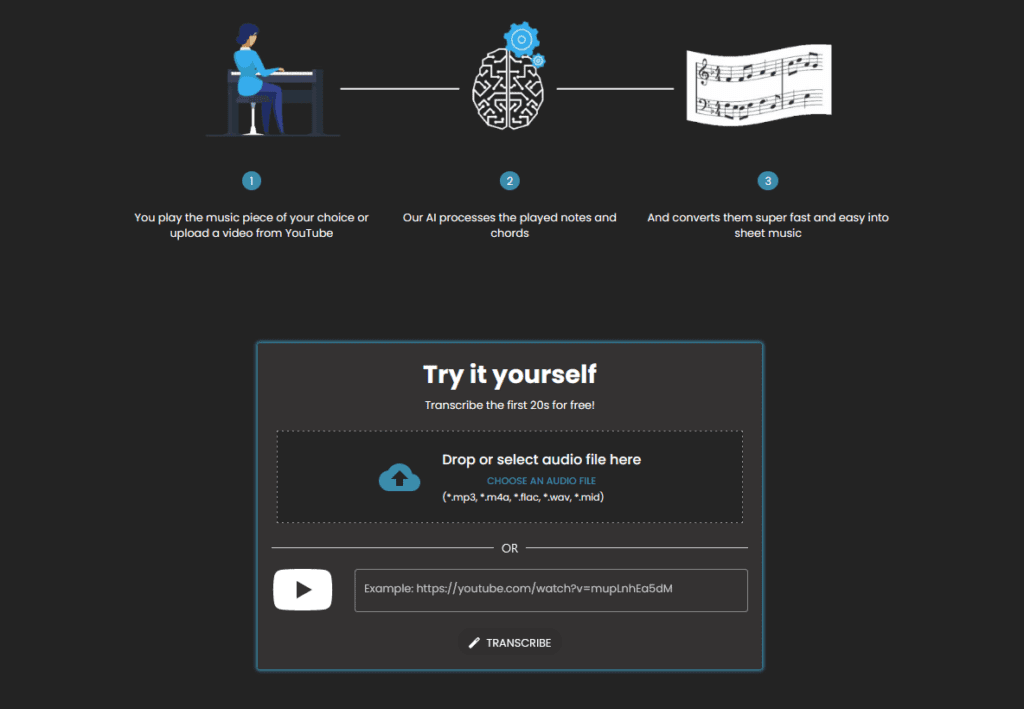

Now follow the transcription process of the app. Simply drag and drop the audio file into the dedicated box, paste in a YouTube link of music, or record your instrument directly in the app. If you are using Melody Scanner check out our specialized guide.
Step 3: Transcribe the Audio File #
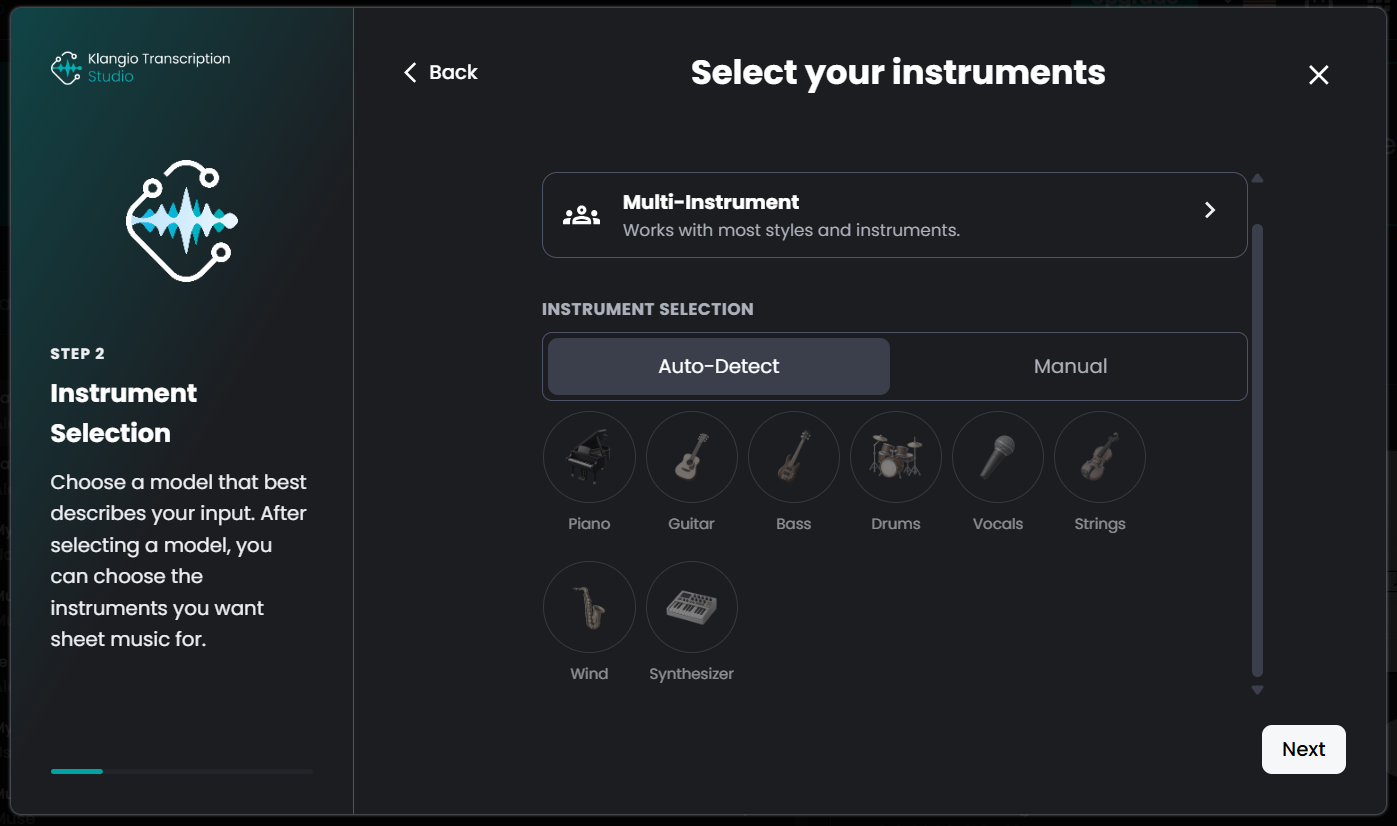
Simply follow through the dialog windows of the Transcription Wizard. You can learn more about the additional settings in this guide.
Step 4: View the Transcription and Download the PDF File #
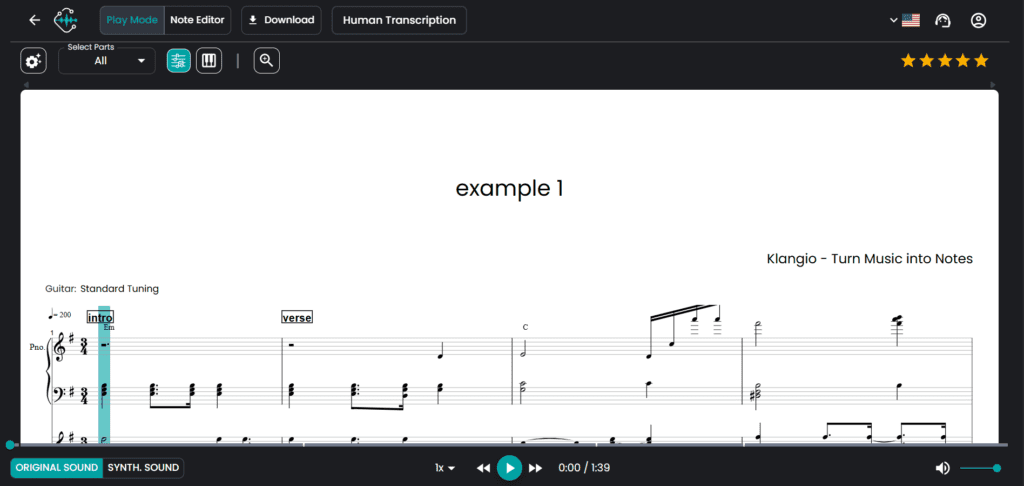
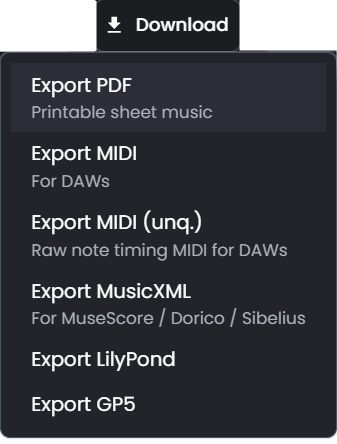
You can now see your transcription in the transcription viewer. In the top left corner of the transcription, you have the option to download the transcription in different formats. Choose “Export PDF”. You can download the PDF version for a demo transcription for free, or you can upgrade to a full transcription to get the whole score.
Step 5: Open the PDF File #
Most internet browsers are able to read PDF files nowadays. If you still can’t open it, you can download and use the free Adobe Reader. Note that a PDF file is a non-editable format. If you’re looking for sheet music that you can edit afterward, check out our MusicXML guide.
Feel free to check out the other articles in our Help Center for more helpful tips.
Frequently Asked Questions #
Our YouTube import works best with standard watch URLs, for example, “https://www.youtube.com/watch…”. Avoid using playlists or embedded links and the short youtu.be format. Also ensure the video is public or unlisted (not private or age-restricted). If it still doesn’t work, please download the audio (e.g., MP3/MP4) and upload the file directly.
If your file cannot be uploaded and transcribed, please try to use an online converter to, for example, convert your MP3 file into a WAV file and try to transcribe it again. If it is still not working, please contact our support team via the support button and send us the file used or check if your song can be found on YouTube.


